
Blog
What Type Of Phone Case Is Best For Wireless Charging?

If your wireless charger is slow, the problem might be your case.
Wireless charging is all the rage these days, but it took a while to become mainstream. The feature was originally introduced in 2009 on the Palm Pre (one of many features that helped the device become a holy grail for smartphone nerds to this very day). Ironically, the Pre used a magnetic charging stand to align its wireless charging coils, an idea that would fall by the wayside for 11 years before surging to widespread popularity when Apple introduced MagSafe charging on the iPhone 12.
In the years between those two iconic smartphones, wireless charging was more niche. Nokia included it on the Lumia 920, and that 2012 device was the first phone to use the Wireless Power Consortium’s Qi standard, which remains the de facto standard for wireless charging even today. It was quickly followed by the Samsung Galaxy S3, which could be retrofitted with a sold-separately wireless charging accessory. But the Google Nexus 4, manufactured by LG, was the first Android phone to come with Qi charging out of the box. In 2017, the iPhone 8 became the first of the company’s smartphones to support wireless charging, giving the tech a shot in the arm.
But for the entire time we’ve had wireless charging, we’ve also been shoving our phones into cases of varying quality. And not all case manufacturers factor wireless charging into their designs. Many of the most common issues people have with wireless charging, from inconsistent connections to frustratingly slow charging speeds, can often be chalked up to a case that’s not playing nice. Of course, cases are important as phone prices continue to increase and replacements become unaffordable, and you don’t need to leave your phone naked in order to reap the benefits of wireless charging. Here’s how to pick a case that’s conducive to induction charging.
Avoid cases that don’t play nice with wireless power
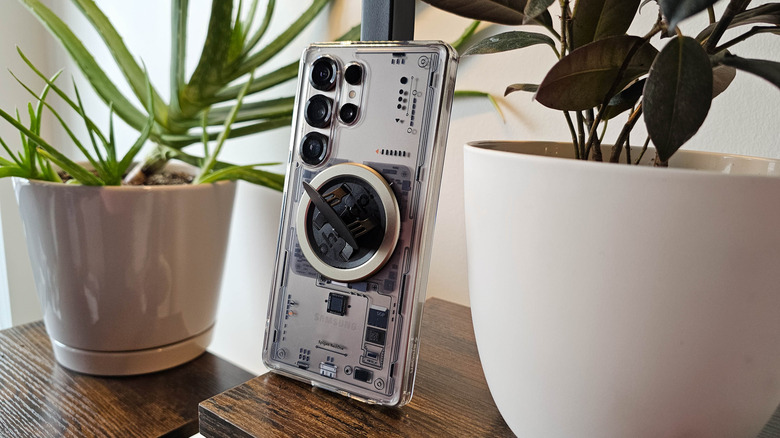
Wireless charging is a technology riddled with challenges that have yet to be overcome. The convenience of wireless charging outweighs these issues for some users, but understanding them can help you get the most out of your Qi charging experience. Wireless charging is inefficient and leaks energy, since the power isn’t transferring metal-to-metal but is instead passing through your phone’s backplate and the casing of the charger, which in turn creates a lot of excess heat. That also means wireless charging is slower than wired charging. Whereas some smartphones charge at 80W or more with proprietary chargers, the top wireless charging speed is currently 25W, and even that is only possible with a Qi2 or MagSafe magnetic ring to align the charging coils more precisely with the charging pad.
The wrong kind of case can compound those issues. If a case is too thick, energy will have an even harder time getting from the pad to the device, and the heat will get trapped by the thicker material. If the case uses metal in the wrong place, it can prevent wireless charging entirely. Ditto for improperly placed magnets (unless we’re talking about Qi2/MagSafe magnets; more on those below).
PopSockets and other phone-back accessories can introduce similar issues, since they add material that can hamper wireless charging. Even if an accessory claims to support wireless charging, be careful. I’ve been a big fan of the OhSnap! Snap Grip. Unfortunately, those grips don’t stick properly to the back of newer Samsung phones, which means I’ve had to install mine on top of a case. While I did have some luck wirelessly charging my phone despite the added bulk, I eventually managed to cook the phone enough to loosen the adhesive holding the backplate in place. As a result, my Galaxy S25 Ultra is most likely no longer water-resistant.
Pick an induction-friendly case
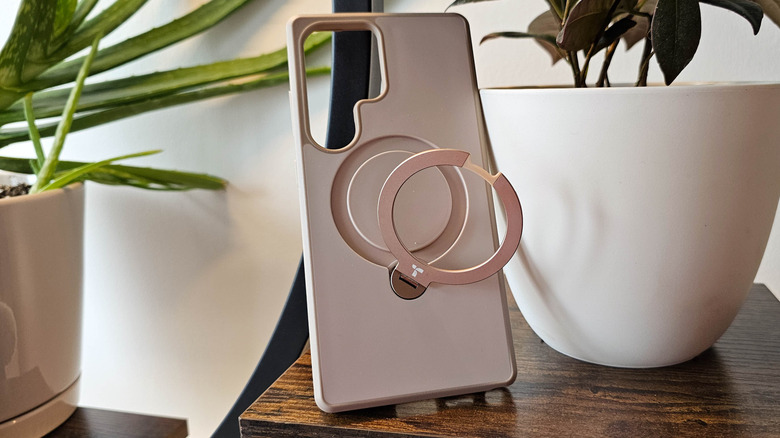
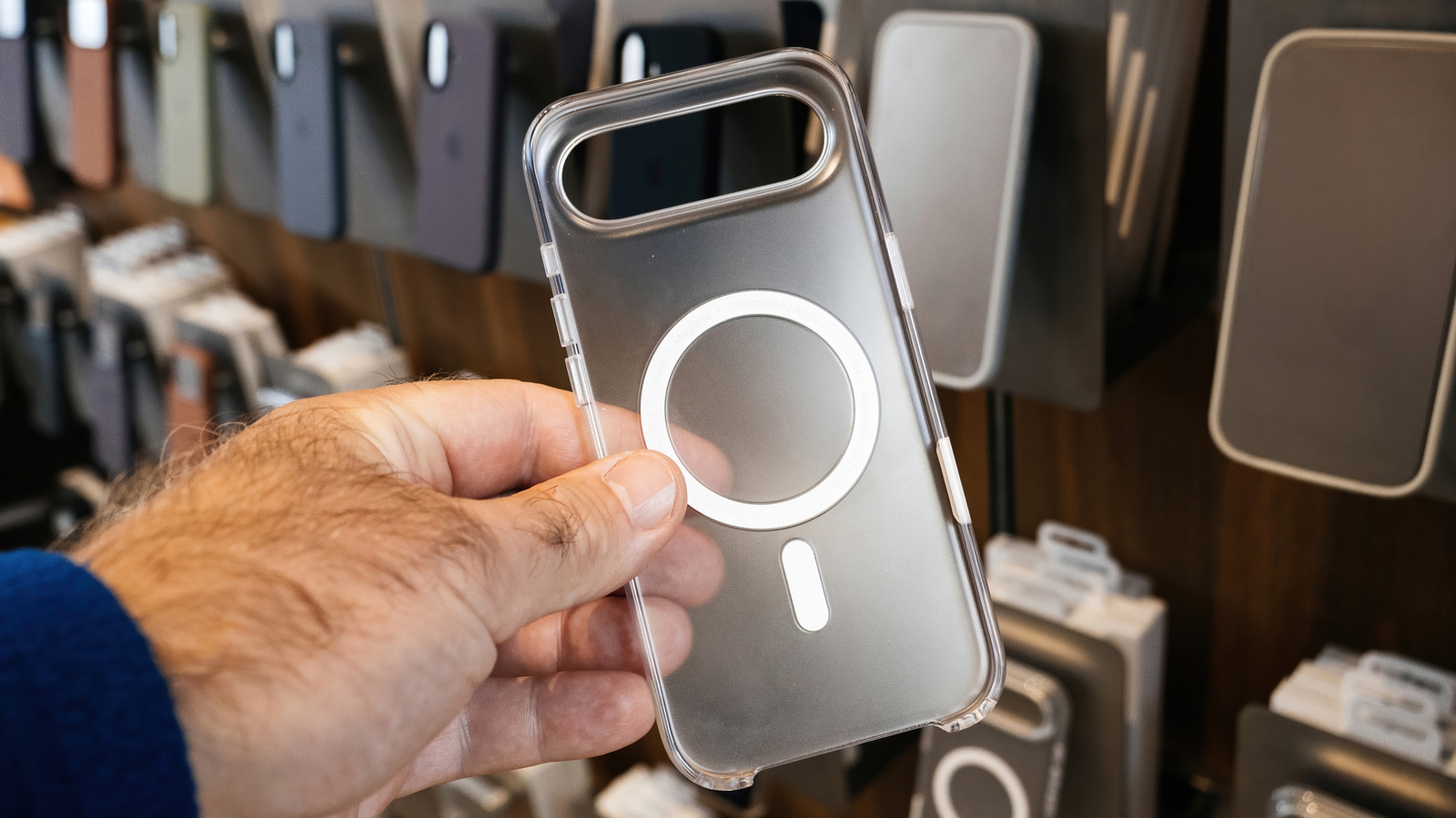
Once you’ve ruled out cases with design choices that limit wireless charging, you can focus on the best cases for iPhone and Android that more actively facilitate it. As is likely obvious, you’ll need a case with a Qi2 magnetic charging ring if you want to use your phone with MagSafe and Qi2 chargers. However, don’t assume a case will work well with Qi2 chargers just because it has a magnet ring. One case I own has a magnet ring that can be pulled out into a convenient grip and kickstand, but the hinge became less stiff over time. Eventually, pairing it with my Qi2 car charger resulted in the ring coming loose from the frame of the case while driving, breaking the connection.
Again, the less material in the way, the better. I’ve had great results with cases like the Spigen MagFit, which has a thin layer of TPU plastic on its backside, and the Speck Presidio 2, which has a circular cutout on the inside to do away with an entire layer of plastic around a phone’s charging coils. It’s especially important to find a thin case if you want to use Qi2 and MagSafe accessories with a phone like the Samsung Galaxy S26 Ultra that doesn’t have magnets built in, as a case is the only way to enable that functionality (unless you want to put an adhesive magnet ring directly on the back of the phone, thereby preventing yourself from using a case entirely).
The best advice, especially if you’re shopping online, is to browse customer reviews of a particular case and look for YouTube videos which discuss the case’s compatibility with wireless chargers. What looks like it checks all the relevant boxes in a product listing may not hold up under real-world use.