
Blog
GMKtec EVO-T2S review: Panther Lake raises the bar for mini PCs

Christoph Hoffmann
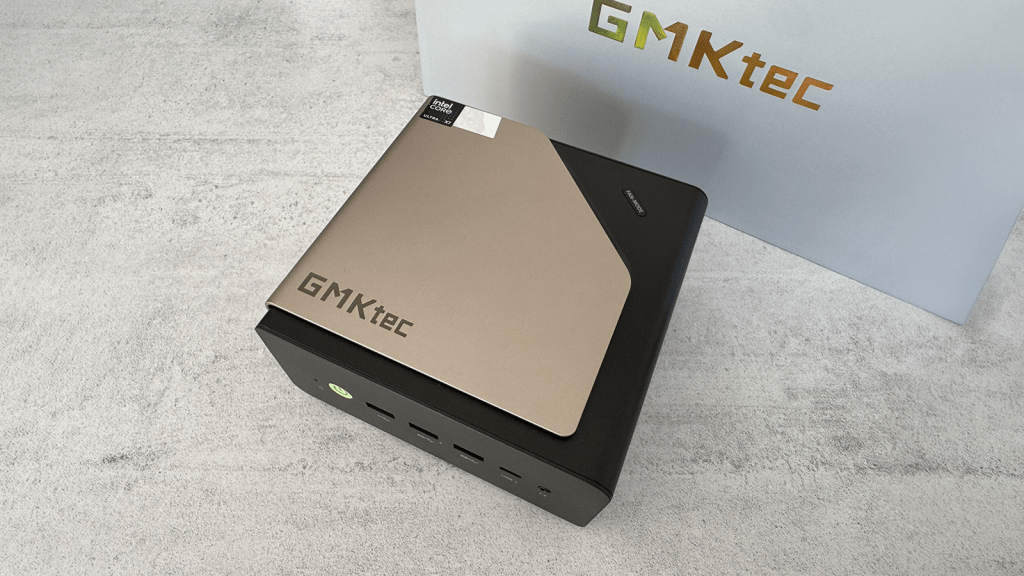
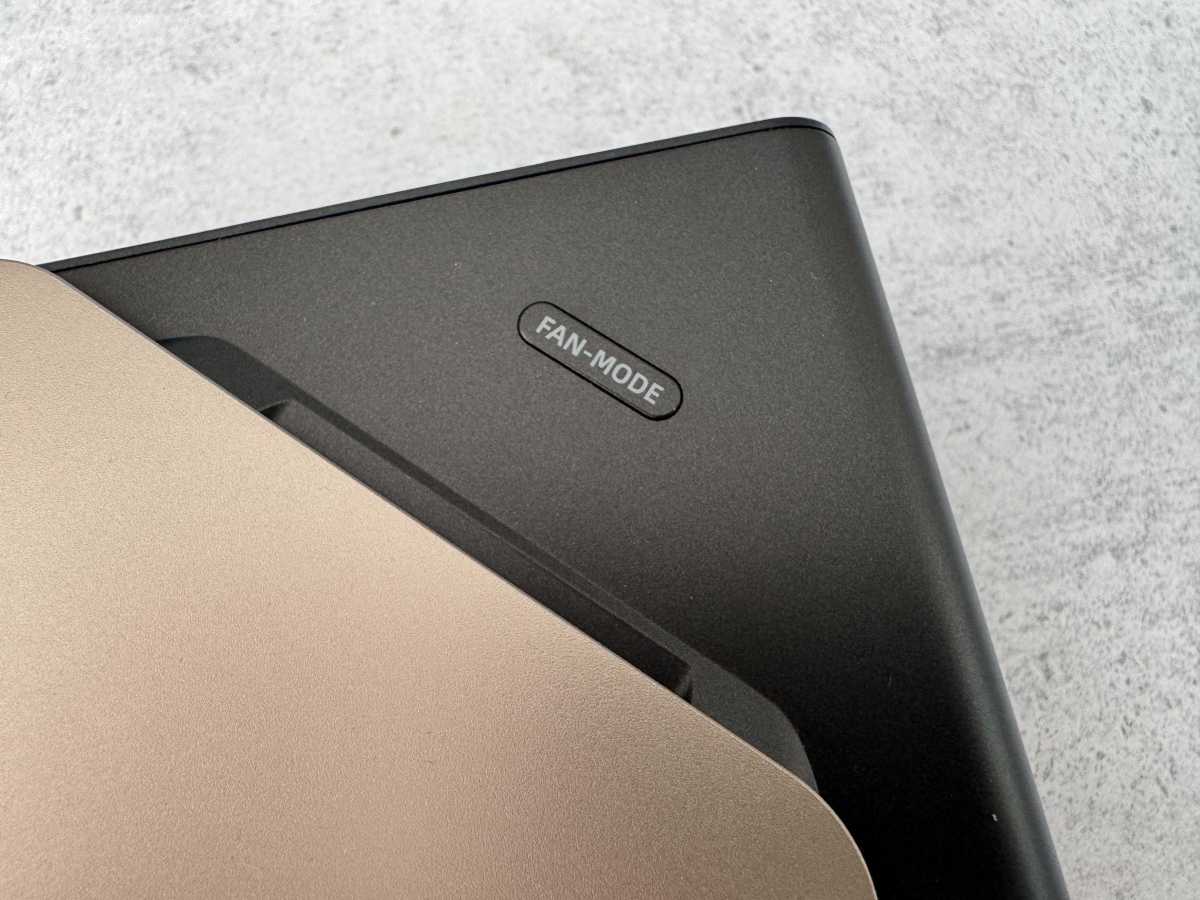
For cooling, GMKtec relies on a vapor chamber solution with two fans. The second, comparatively large fan is situated directly beneath the metal cover on the top and features switchable RGB lighting. The button next to it, labelled ‘Fan Mode,’ therefore does not control the fan speed, but only the lighting. Such a dual-fan design is unusual for a mini PC of this size.
Christoph Hoffmann
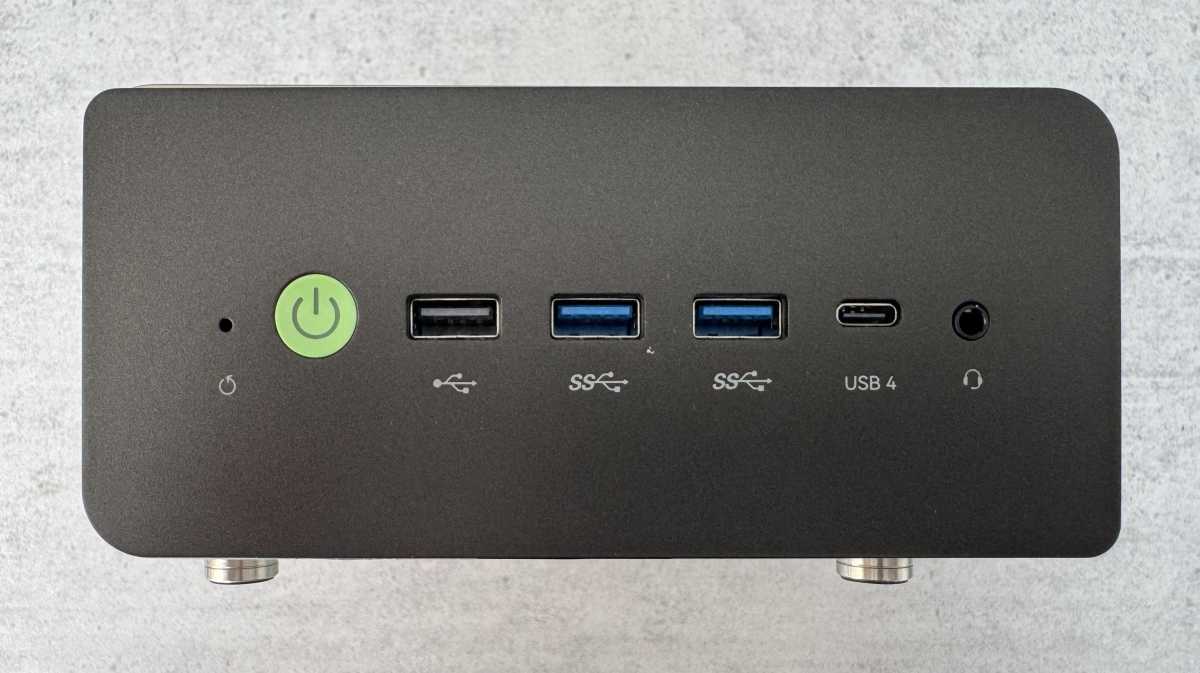
The port layout follows a clear logic: The ports that users frequently plug devices into and out of are at the front, while the permanent connections are at the rear. On the front panel, you’ll find the illuminated power button, a USB 2.0 port, two USB 3.2 Type-A ports, a USB4 Type-C port, and a headphone jack.
Christoph Hoffmann
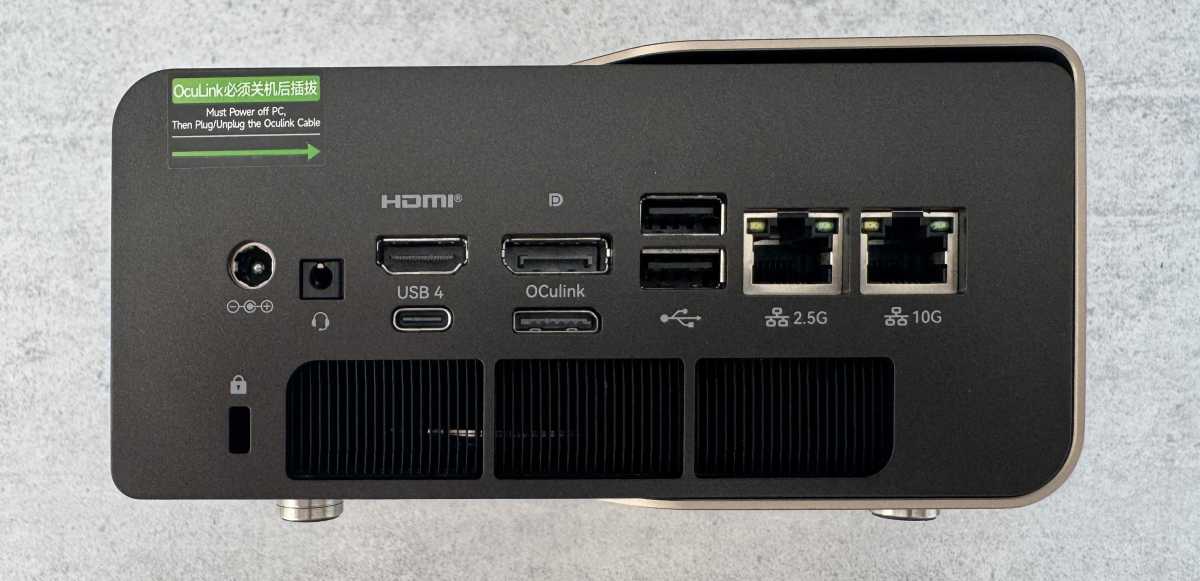
The rear panel is significantly more generously equipped: Alongside the round plug for the external power supply, there is an HDMI and a DisplayPort output, an OCuLink port for external graphics cards, two further USB 2.0 ports, and two network sockets offering 2.5- and 10-gigabits per second, respectively.
Christoph Hoffmann
Both USB4 ports support data rates of up to 40Gbit/s, DisplayPort, and Power Delivery for charging compatible devices at up to 100 watts, making them suitable for fast external SSDs or docking stations.
Up to four monitors can be operated simultaneously via HDMI, DisplayPort, and the two USB4 ports — according to the manufacturer, even at resolutions of up to 8K. A Kensington lock slot rounds off the well-designed port layout.
OCuLink is an external PCIe interface that allows, for example, a desktop graphics card in a separate eGPU enclosure to be connected with significantly lower signal loss than via USB4. On the EVO-T2S, the connection operates at PCIe 4.0 x4, offering a theoretical bandwidth of just under 8GB/s. This is particularly useful if the integrated Arc B390 iGPU no longer proves sufficient or if the mini PC is to be upgraded for GPU-accelerated applications. However, the port does not support hot-plugging; eGPU enclosures should therefore only be connected or disconnected while the system is switched off.